The ldd command will print out a list of all libraries that an executable is linked against. This is the output for a simple “Hello World” command.
20:15:31 tux@linux-v415 ($ ldd ./a.out linux-vdso.so.1 => (0x00007fff171ff000) libc.so.6 => /lib64/libc.so.6 (0x00007fe56ef58000) /lib64/ld-linux-x86-64.so.2 (0x00007fe56f2e8000) 20:15:49 tux@linux-v415 ($ |
If you wish to view a graphical representation of your system load in an Xterm or on the text console, use the tload command. This prints the graph using text characters.
For example: tload -s 8 -d 2 |
This will give tload a scale of 8 and a delay of 2 seconds to draw a graph of the system load.
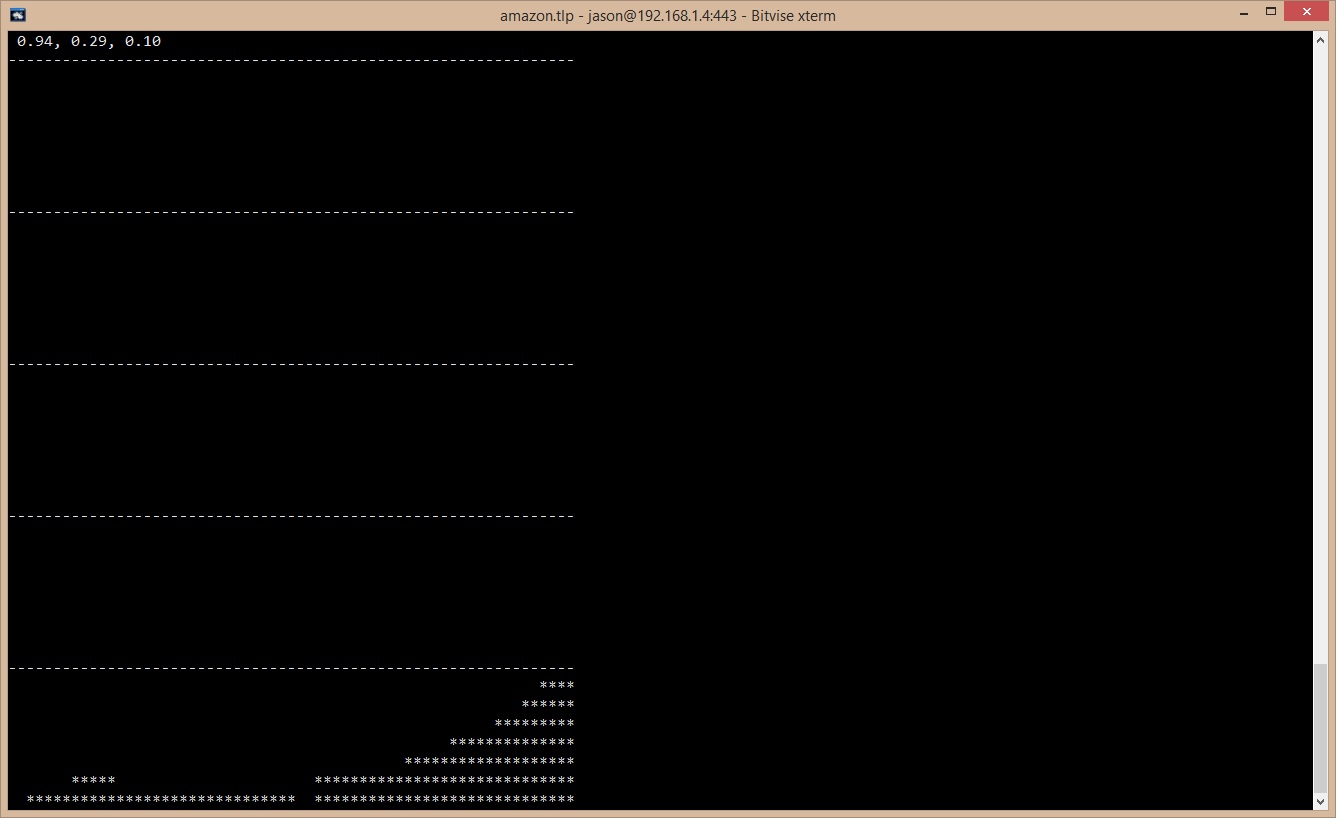
This is very useful to see the system load in real time in a terminal. I am using Windows to access my server, so I am using the Bitvise SSH client for Windows to login, this offers support for SSH host keys and you can open multiple terminal windows to perform operations on your server.
Download this here: https://www.bitvise.com/. The best SSH client for a Windows machine.
To send a broadcast message from your tty or terminal emulator window use the wall command. I tried this on my KDE desktop in the konsole window and the notification popped up from the system tray showing my message. Just type the intended message and then press Ctrl-D to send it.
10:01:58 tux@linux-v415 ($ wall Hello Broadcast Message from tux@linux-v4 (/dev/pts/1) at 10:02 ... Hello 10:02:10 tux@linux-v415 ($ |
The lsblk command will list all of the block devices or hard disks that are mounted on your machine. This is a useful command.
ubuntu ~ $ lsblk NAME MAJ:MIN RM SIZE RO TYPE MOUNTPOINT xvda 202:0 0 30G 0 disk └─xvda1 202:1 0 30G 0 part / |
Here is an interesting command that will reverse any text fed into it. The rev command could be useful when piping text into it to reverse a text file.
10:32:21 tux@linux-v415 ($ rev Hello olleH Hello olleH |
The ddate command will convert Gregorian dates into Discordian date formats. An example is shown below.
11:01:10 tux@linux-v415 ($ ddate Today is Boomtime, the 53rd day of Bureaucracy in the YOLD 3178 |
To see how much free RAM you have on your Linux system use the free command. This is useful to keep track of memory usage. Another way is to use the cat /proc/meminfo | grep MemFree: command.
11:01:18 tux@linux-v415 ($ free total used free shared buffers cached Mem: 6053668 5902464 151204 0 549500 3353780 -/+ buffers/cache: 1999184 4054484 Swap: 2559996 2240 2557756 |
Do you sometimes want to find where a program is installed to? The whereis command will help you with this.
11:19:15 tux@linux-v415 ($ whereis emacs emacs: /usr/bin/emacs /usr/lib/emacs /usr/bin/X11/emacs /usr/share/emacs /usr/share/man/man1/emacs.1.gz |
I am not sure if I have posted this before; but the host command will print information about a certain network host. It prints all of the IP addresses and other pertinent information about the target host.
11:21:54 tux@linux-v415 ($ host localhost localhost has address 127.0.0.1 localhost has IPv6 address ::1 11:22:02 tux@linux-v415 ($ host google.com google.com has address 74.125.237.105 google.com has address 74.125.237.110 google.com has address 74.125.237.96 google.com has address 74.125.237.97 google.com has address 74.125.237.98 google.com has address 74.125.237.99 google.com has address 74.125.237.100 google.com has address 74.125.237.101 google.com has address 74.125.237.102 google.com has address 74.125.237.103 google.com has address 74.125.237.104 google.com has IPv6 address 2404:6800:4006:803::1002 google.com mail is handled by 30 alt2.aspmx.l.google.com. google.com mail is handled by 40 alt3.aspmx.l.google.com. google.com mail is handled by 50 alt4.aspmx.l.google.com. google.com mail is handled by 10 aspmx.l.google.com. google.com mail is handled by 20 alt1.aspmx.l.google.com. |
To get help on the BASH shell builtin commands the help command is your friend. Type help kill to get help on the kill command for example.
ubuntu ~ $ help help help: help [-dms] [pattern ...] Display information about builtin commands. Displays brief summaries of builtin commands. If PATTERN is specified, gives detailed help on all commands matching PATTERN, otherwise the list of help topics is printed. Options: -d output short description for each topic -m display usage in pseudo-manpage format -s output only a short usage synopsis for each topic matching PATTERN Arguments: PATTERN Pattern specifiying a help topic Exit Status: Returns success unless PATTERN is not found or an invalid option is given. |
If you are very new to the Linux command line, the man intro command will print a helpful tutorial that will help you learn the basics.
If you want to have some fun as I did; make a copy of a text file and then use the join command to join them together…
11:30:50 tux@linux-v415 ($ join my.c my2.c #include <stdio.h> <stdio.h> #include <stdio.h> <sys/times.h> #include <sys/times.h> <stdio.h> #include <sys/times.h> <sys/times.h> clock_t times(struct tms *buf); times(struct tms *buf); int main(void) main(void) { write(1, "Hello World.\n", 15); "Hello World.\n", 15); return 0; 0; } |
Great post, most informative, didn’t realise devops were into this.