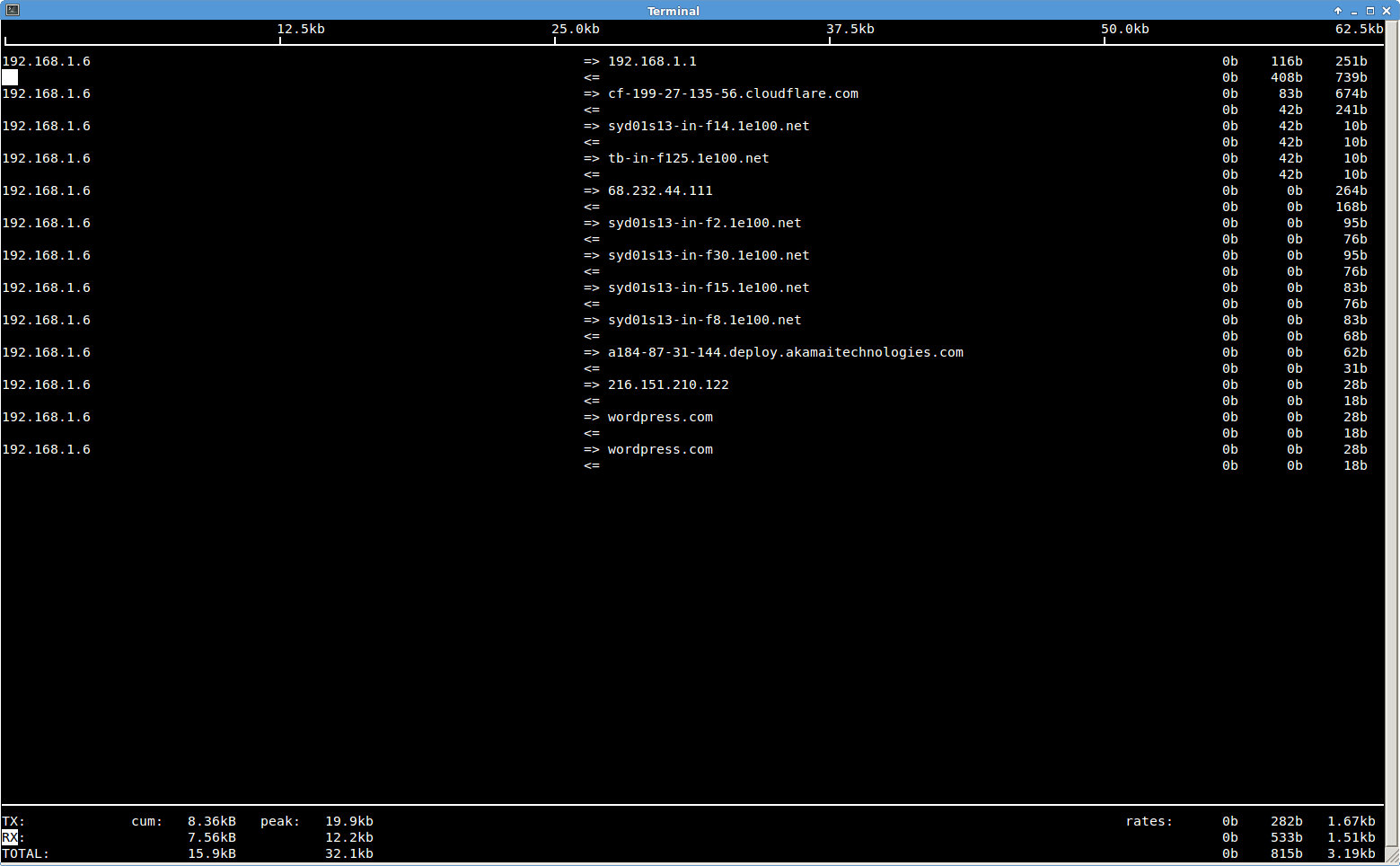
The iftop command. A good way to keep track of network usage on Linux.

The monitoring of your network interfaces just got a little easier with the iftop command. This command will return information about a certain network interface and will allow you to see who is hogging your bandwidth. Read more here: http://linux.die.net/man/8/iftop. This is one very useful Linux command. Start it like this if your network interface is eth1 instead of eth0.

john@adeptus-mechanicus ~ $ sudo iftop -i eth1
interface: eth1
IP address is: 192.168.1.6
MAC address is: 00:13:46:3a:02:83
Linux iftop command capturing traffic.

Linux iftop command capturing traffic.

Then a window will appear showing the network traffic on that interface. If you then start a Firefox session you can see what the browser is connecting to when you start it up and when you are doing your standard Internet browsing. You can see my standard Firefox 18 session in this screenshot to the right. You can install this with the sudo apt-get install iftop command in Linux Mint 14. Press ‘p’ to toggle port display on and the ‘l’ key will enable the filtering prompt. Type ‘domain’ at the prompt and only output matching domain will be displayed, if you press ‘l’ again and backspace out the filter word and then press RETURN the filter will be removed.. And of course you may type man iftop to get more information on this utility.

So try out this command; you will be very pleased indeed.

About

I am a computer enthusiast that has always been interested in maintaining and upgrading computer hardware. I was born on a farm and lived there for 13 years before moving into town. I was always interested in technology and my father always gave me good encouragement for developing my knowledge and interest in tinkering with computers. He was using a computer on the farm but that was in the very late 80`s and late 90`s. Seeing what a computer could do always fascinated me and then I knew that is what I wanted to do. The first time I used Linux was Red Hat 6.2 installed off a single CDROM and I was amazed that you did not need to install any more drivers on my old Intel Celeron machine to be able to enjoy a nice 24BPP desktop and use the GIMP to edit photos and enjoy playing the old Linux games like Xbill. Then a while later I tried Mandrake Linux 9.2 and I was hooked. It came with so much software and was very easy to use as well. Then Mandrake Linux 10 and on through FreeBSD, Debian 3.0, Debian 3.1 Suse Linux 9.2, Suse 10 and onto the Ubuntu distributions although I am using Fedora Core 15 and the Gnome 3 desktop at the moment.

Tagged with: , , , , ,
Posted in bejiitaswrath

Leave a Reply

Plugin from the creators of Brindes :: More at Plulz Wordpress Plugins